Medication Management for Elderly Parents: A Guide
Updated November 11, 2026
The short answer
- Build six habits: a master list, a pharmacist review, a simpler routine, reminders, a way to check doses were marked, and a refill/storage plan.
- If you live in another town, put the check and the refill plan in writing — and pick a tool that alerts you without nagging calls.
- Download our free medication list template before the next clinic visit.
1. Master medication list
Name, dose, time, “with food?”, prescribing doctor, pharmacy. Update after every visit. For product information pages and official notices in Canada, start at Health Canada drugs & health products — then bring questions to the pharmacist, not to an app.
2. Pharmacist review
Ask for a full review when the list grows past a few pills. Bring the printed list. Only a pharmacist or doctor should change doses.
3. Simplify the routine
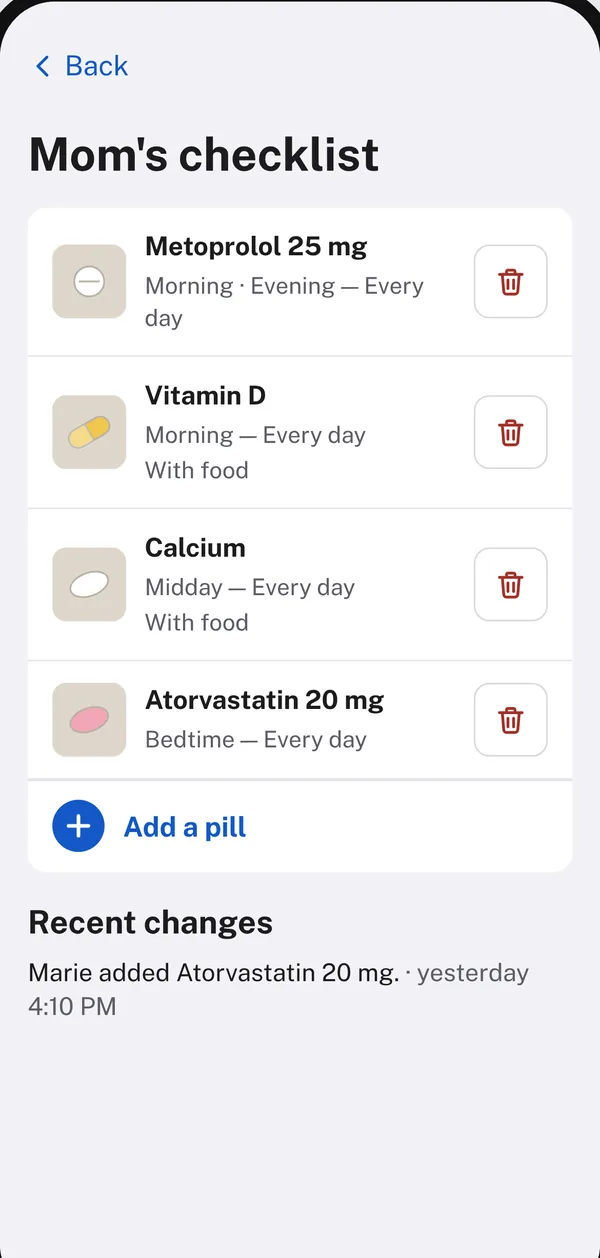
Same times each day. Photos of bottles on the checklist help when memory is shaky.
4. Reminders
Phone alarms, blister packs, or an app. See eight reminder options.
5. Checking doses were taken
This is the gap most families feel. SyncPill and similar tools show a check-off or send a missed-dose alert. Details: how to know if they took it.
6. Refill and storage plan
Who orders refills? Where are spare bottles? Child-resistant storage away from visitors’ kids.
What SyncPill is not
SyncPill is not a medical device. It does not give medical advice, suggest doses, check drug interactions, or prove a pill was swallowed. It records taps on a phone. Read our medical disclaimer.
Try SyncPill
SyncPill is a two-phone medication checklist for families. One person taps “I took it” and the other sees the check-off or gets a missed-dose alert. Free on the parent’s phone. Helpers get 7 days free, then $1.99/month or $14.99/year (USD), covering two helpers.
This article is general information, not medical advice. Read our medical disclaimer.