How SyncPill works
Step-by-step setup · Updated November 20, 2026
SyncPill runs on two phones. Yours holds the checklist and gets the alerts. Mom’s (or Dad’s) shows big, simple reminders and one button: I took it. Setup takes a few minutes, and you only do it once.
Setup, in five steps
Install SyncPill on your phone
Choose I help someone. Sign in with your email, or with Apple on an iPhone. Your 7-day free trial starts here; the App Store or Google Play shows the price in your currency before anything is charged, and you can cancel in your store settings anytime.
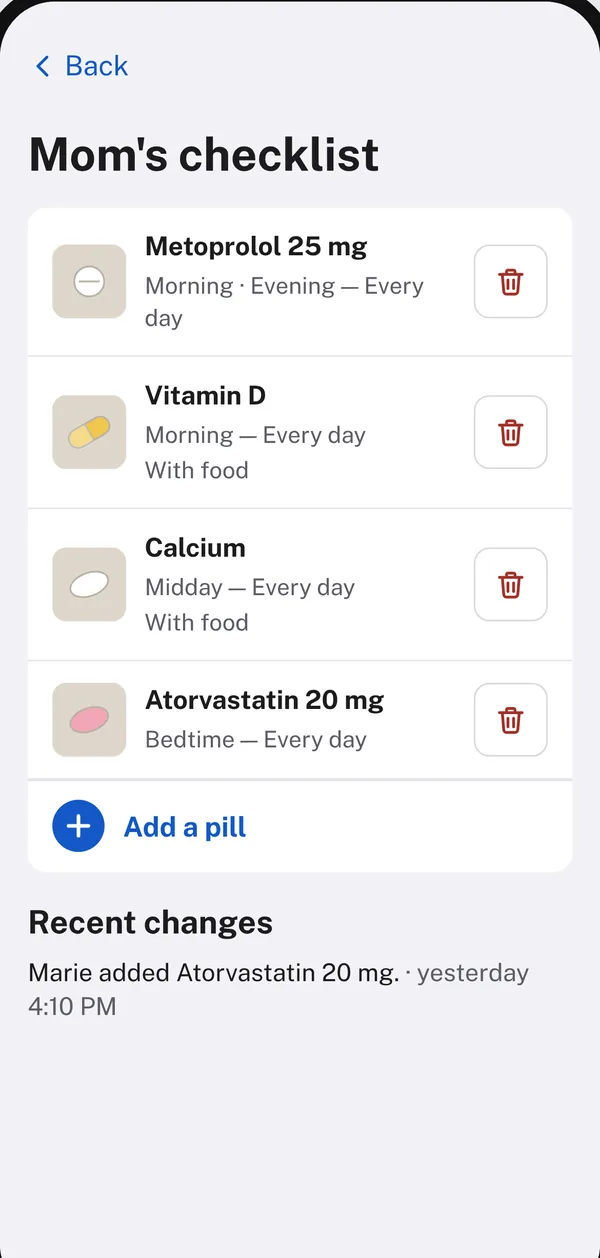
Add her medications
Start typing a name and SyncPill suggests it from about 2,600 common medications, and fills in the type: pill, inhaler, spray, liquid, drops, cream, patch or injection. Not in the list? Type it anyway.
For each one, pick when it’s taken (morning, midday, evening, bedtime, or exact times), which days, how much (“2 puffs,” “5 ml”), and whether it’s taken with food. A photo of the bottle helps her spot the right one.
Connect Mom’s phone
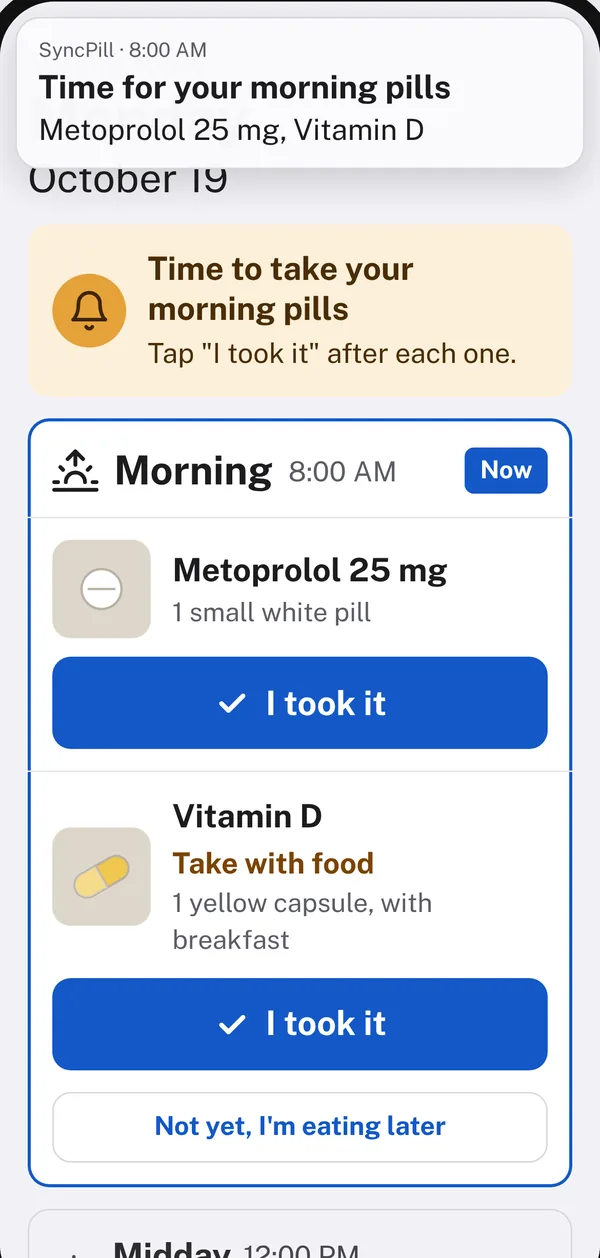
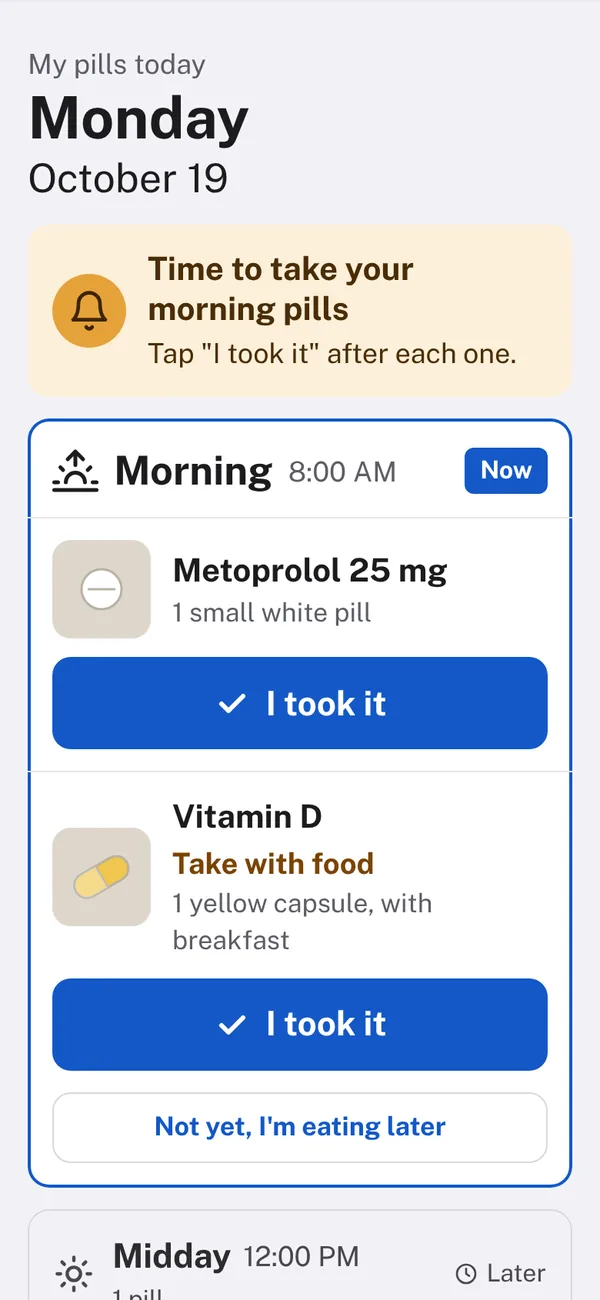
Install SyncPill on her phone and choose I take medications. She types the 6-digit code shown on your phone, or points her camera at the QR code. That’s it: no account, no email, no password. Then allow reminders when the phone asks.
Tip: do this step together, in person or on a video call. It takes a minute, and she’ll know what the reminder looks like before the first one rings.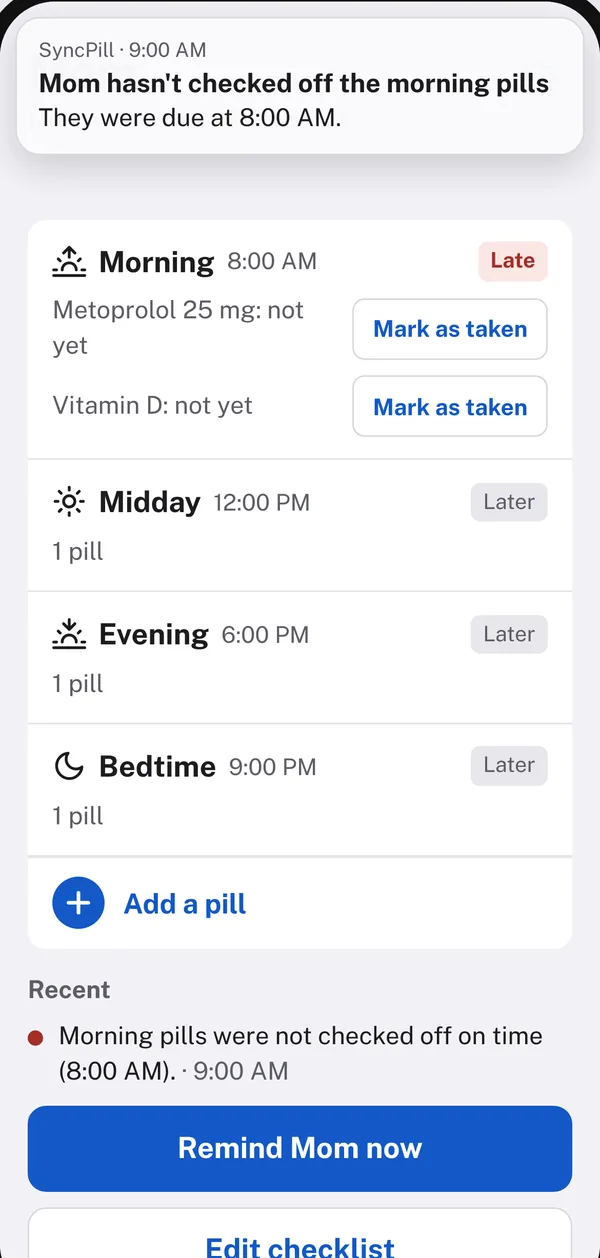
Choose when you’re alerted
If a dose isn’t checked off, SyncPill tells you after 30 minutes, 1 hour or 2 hours. You choose. Pick the longest wait that still lets you sleep at night: most people don’t take pills at the exact minute.
Invite a second helper (optional)
One subscription covers you and one more helper, such as a sibling, a neighbour or a friend who lives closer. Everyone sees the same checklist.
A normal day
- On her phone: at each time, the reminder rings, even without internet. She taps I took it under each medication. If she’s eating later, Not yet, I’m eating later reminds her again in 30 minutes. Reminders can also repeat until she taps, for up to 30 minutes.
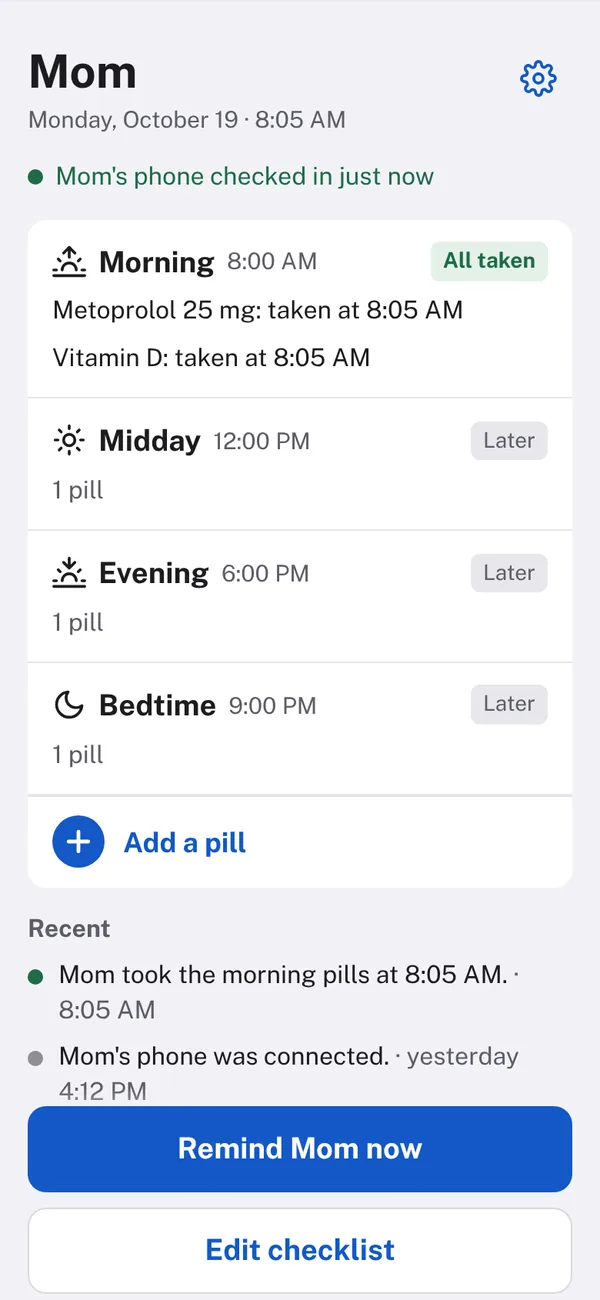
- On yours: you see each check-off with the time. If a dose is missed, you get one alert. You can send her a reminder anytime, and change her checklist from wherever you are; it updates on her phone.
- If her phone goes quiet (switched off, out of battery, no connection for a long time), you get a warning, so a missing check-off isn’t mistaken for a missed pill.
Tips that make reminders stick
What if…
- …you change phones? Sign in on the new phone with the same email (or Apple). Her checklist is stored safely, so there’s nothing to re-enter.
- …she changes phones? Install SyncPill on the new phone and connect it with a new code from your phone. Her checklist comes back as it was.
- …there’s no internet? Reminders are saved on her phone and still ring. Her check-offs reach you when the connection is back.
- …she wants to manage it herself? SyncPill works with no helper at all, for free. Reminders work the same way.
Questions? Help and privacy · support@syncpill.com
Try SyncPill
SyncPill is a two-phone medication checklist for families. One person taps “I took it” and the other sees the check-off or gets a missed-dose alert. Free on the parent’s phone. Helpers get 7 days free, then $1.99/month or $14.99/year (USD), covering two helpers.
SyncPill is a reminder tool, not a medical device. It records taps; it can’t prove a pill was swallowed. Always follow the doctor’s or pharmacist’s instructions. Medical disclaimer.