The short version
- Before leaving, get the medication list in writing: what’s new, what changed, what stopped.
- At home, compare it with the bottles in the cupboard and set aside anything that was stopped.
- Ask the pharmacist to go over the new list in the first few days.
- Keep one current list, and bring it to the follow-up appointment.
- Tell her care team about anything new, like confusion, dizziness or a fall.
What should you ask before leaving the hospital?
- Which medications are new, which changed, and which stopped?
- Should she keep taking the medicines, vitamins and supplements she took before?
- Who do we call with medication questions, and what’s the number?
- Can the prescriptions be sent ahead so they’re ready on the way home?
- When is the first follow-up, and with whom?
Medicare’s own discharge planning checklist covers the same ground, and it’s worth printing before discharge day (Medicare).
Reading this after the fact? The pharmacy that filled the new prescriptions can help with most of these questions.
How do you sort old and new medications at home?
The Family Caregiver Alliance calls this step medication reconciliation: comparing the list from before the hospital with the discharge list, ideally with a doctor, nurse or pharmacist (Family Caregiver Alliance). At home, a simple table makes it easier to see what moved.
| Medication | New, changed or same | When | Notes |
|---|---|---|---|
| Blood pressure pill | Changed dose | Morning | Old bottle bagged for the pharmacy |
| Antibiotic | New, 10 days | Morning and evening | Finish date written on the box |
| Vitamin D | Same | Breakfast | No change |
| Sleep aid | Stopped | Bagged, ask the pharmacist about returning it |
Example only. Use the names, doses and times from her discharge papers.
What helps in the first week at home?
- Set aside anything that was stopped. Bag it, label it, and ask the pharmacist about returning it. Leaving it next to the new bottles invites mistakes.
- Write one current list. New and old together, with times. Tape a copy inside a cupboard door and keep one on your phone. Our printable chart works for this.
- Ask about blister packs. Many pharmacies will sort a week of pills by day and time, which helps when the list has just changed.
- Mark the refill dates. New prescriptions run out on their own schedule, separate from the old ones. A simple refill routine keeps that from sneaking up on you.
- Bring the list to the follow-up. Medicare’s checklist suggests bringing the drug list to follow-up appointments (Medicare), and doses sometimes change again there. Update the list the same day.
How can you keep track from your own phone?
If she’s home and you’re not, it helps to know the new routine is holding. SyncPill puts the checklist on her phone and the check-offs on yours. SyncPill runs on two phones: your parent's shows what's due, with a big I took it button, and yours shows what's been checked off.
Set it up before she’s home
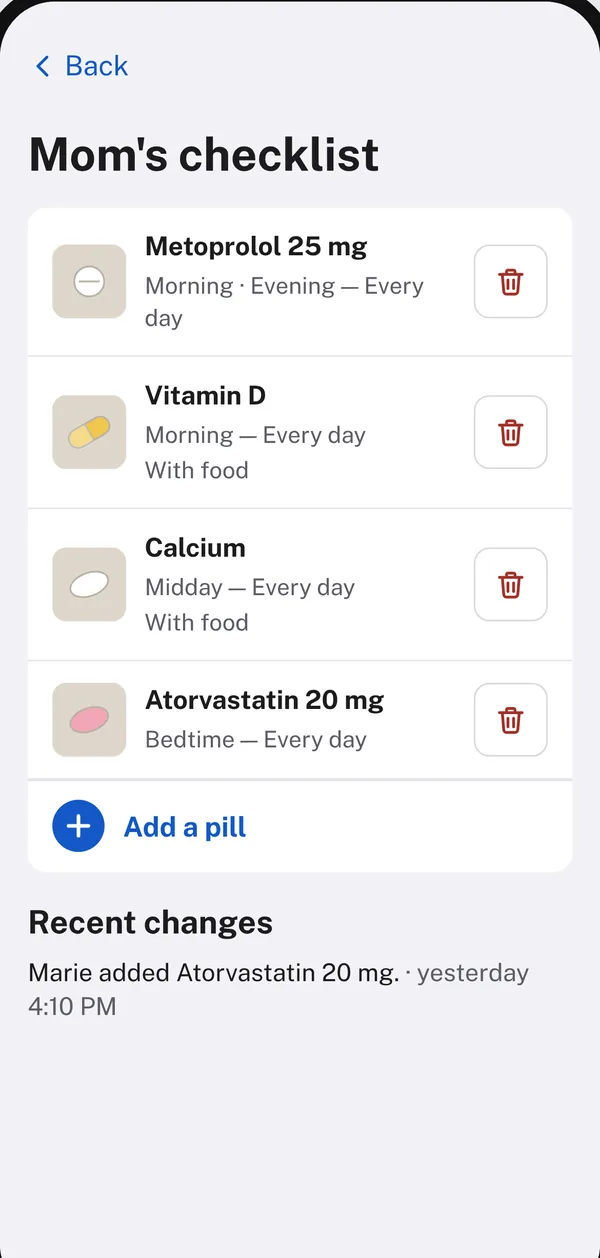
Type the medications in from the discharge papers. SyncPill suggests names as you type, and you can note how much, like “1 tablet” or “2 puffs”.
Clear reminders on her phone
Big text and one button per medication. If she’s eating later, Not yet, I’m eating later reminds her again in 30 minutes.
One alert if a dose slips
If a dose isn’t checked off in the time you chose, your phone tells you.
Quick changes after the follow-up
Edit a dose or time on your phone and her checklist updates.
What SyncPill won’t do
SyncPill doesn’t read discharge papers or know what the hospital changed. Someone has to enter the list, and the pharmacist is the right person to check it. It’s a reminder app, not a medical device.
Questions families ask
Can I set it up before she gets home?
Yes. Make the checklist on your phone first. When you’re together, she installs SyncPill and types the 6-digit code from your phone.
She’s too tired to use her phone right now. Now what?
You can mark doses as taken from your own phone while she recovers, and hand the button back to her when she’s ready.
What if the doctor changes a dose at the follow-up?
Edit it on your phone after the appointment. Her checklist updates, and the old dose doesn’t linger anywhere.
She’s staying with us for a few weeks. Does that change anything?
No. The checklist lives on her phone and yours, so it goes home with her when she does.
Sources
Official pages we used for this article, checked November 25, 2026:
Try it for a week
Free on your parent’s phone. You get 7 days free, then $1.99 a month or $14.99 a year (USD), for two helpers. Cancel in your App Store or Google Play settings anytime.
SyncPill is a reminder tool, not a medical device. It records taps; it can’t confirm a pill was swallowed. Follow the doctor’s or pharmacist’s instructions. Medical disclaimer.